How to Purchase Predictions on enviPath - A Step-by-Step Guide
With the latest enviPath release, you can now purchase environmental transformation pathway and degradation half-life (DT50) predictions directly through the enviPath Marketplace.
This guide walks you through the process, from selecting a prediction service to running your predictions.
Step 1: Open the enviPath Marketplace
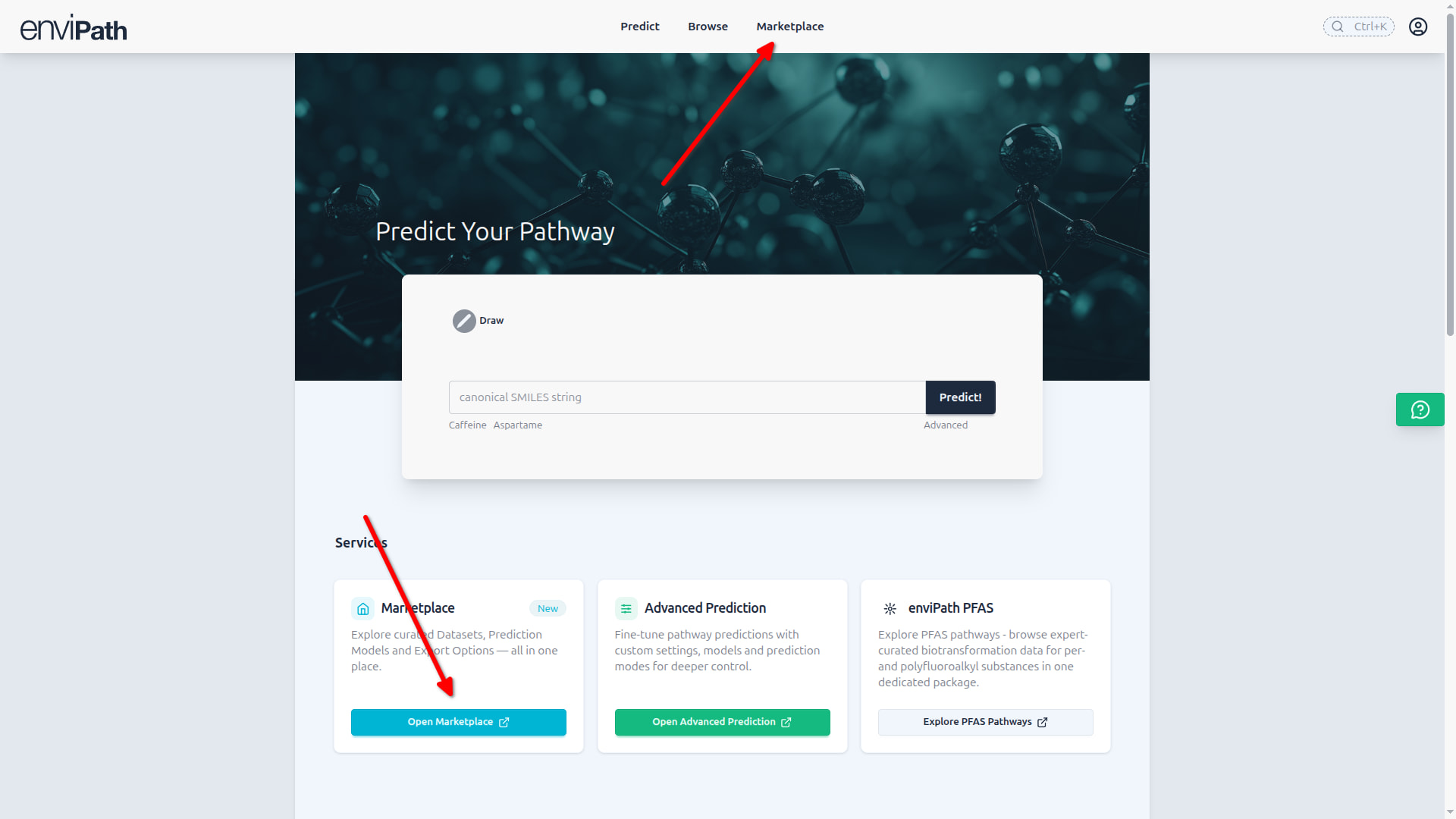
Visit the enviPath homepage and click on Marketplace on top or from within the Marketplace tile.
Step 2: Select Your Prediction Type
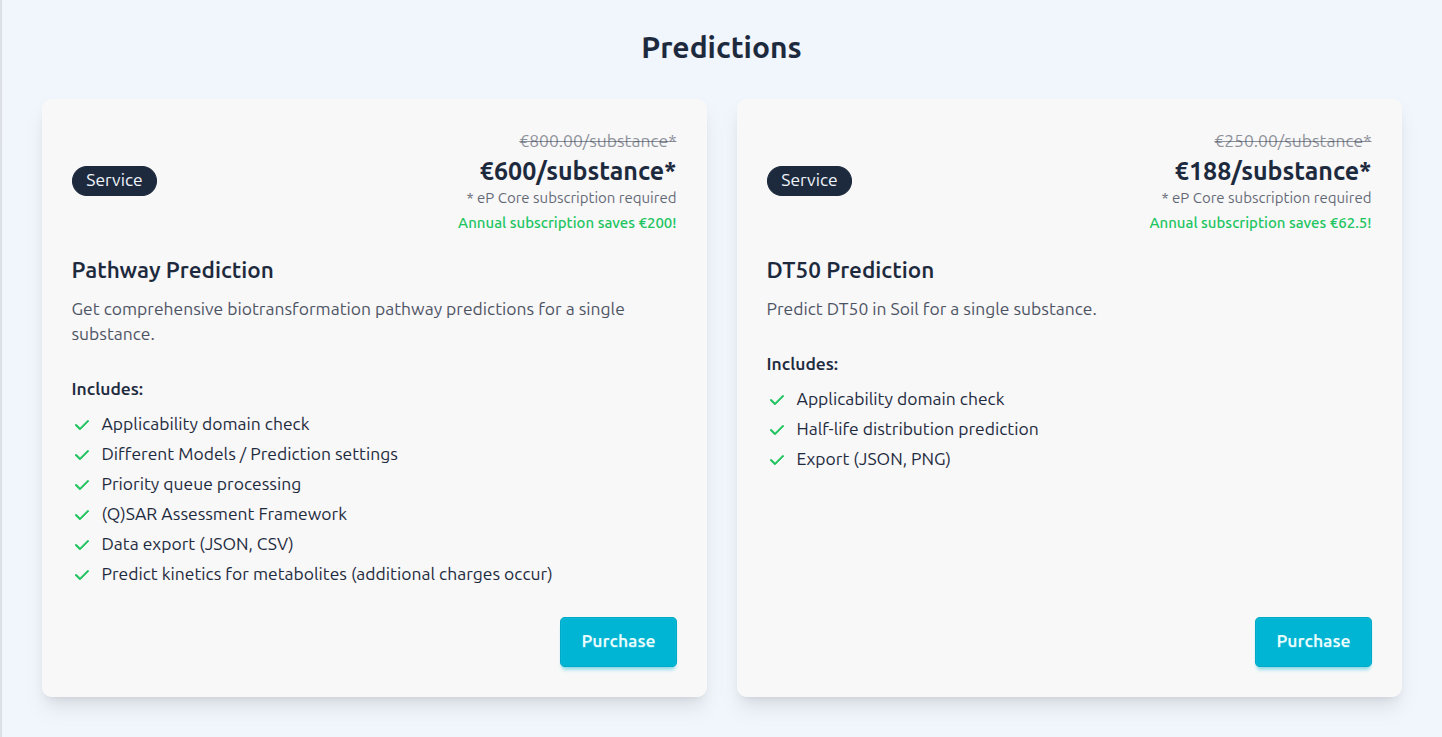
In the predictions section choose the prediction service that best fits your needs:
- Pathway Predictions: Predict potential environmental transformation pathways for your compounds.
- DT50 Predictions: Estimate degradation half-lives for your compounds.
Step 3: Test your Substance
Before purchasing, explore the selected prediction service using the available test functionality.
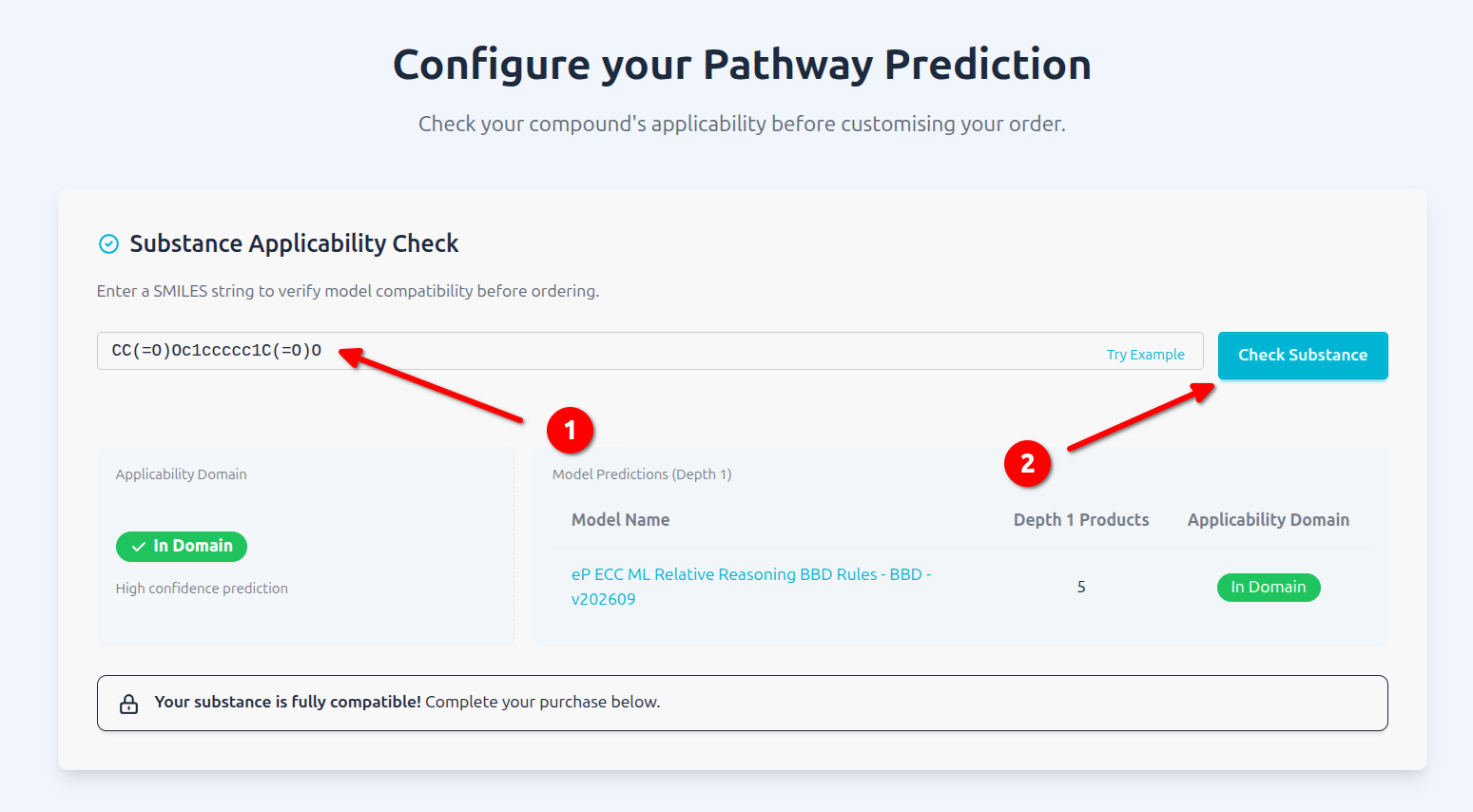
The substance will now be tested against all available models and the table will show for each of them if the substance falls within domain of applicability or not.
For Pathway prediction models you’ll also see how man first level metabolites will be formed.
Step 4: Configure the prediction
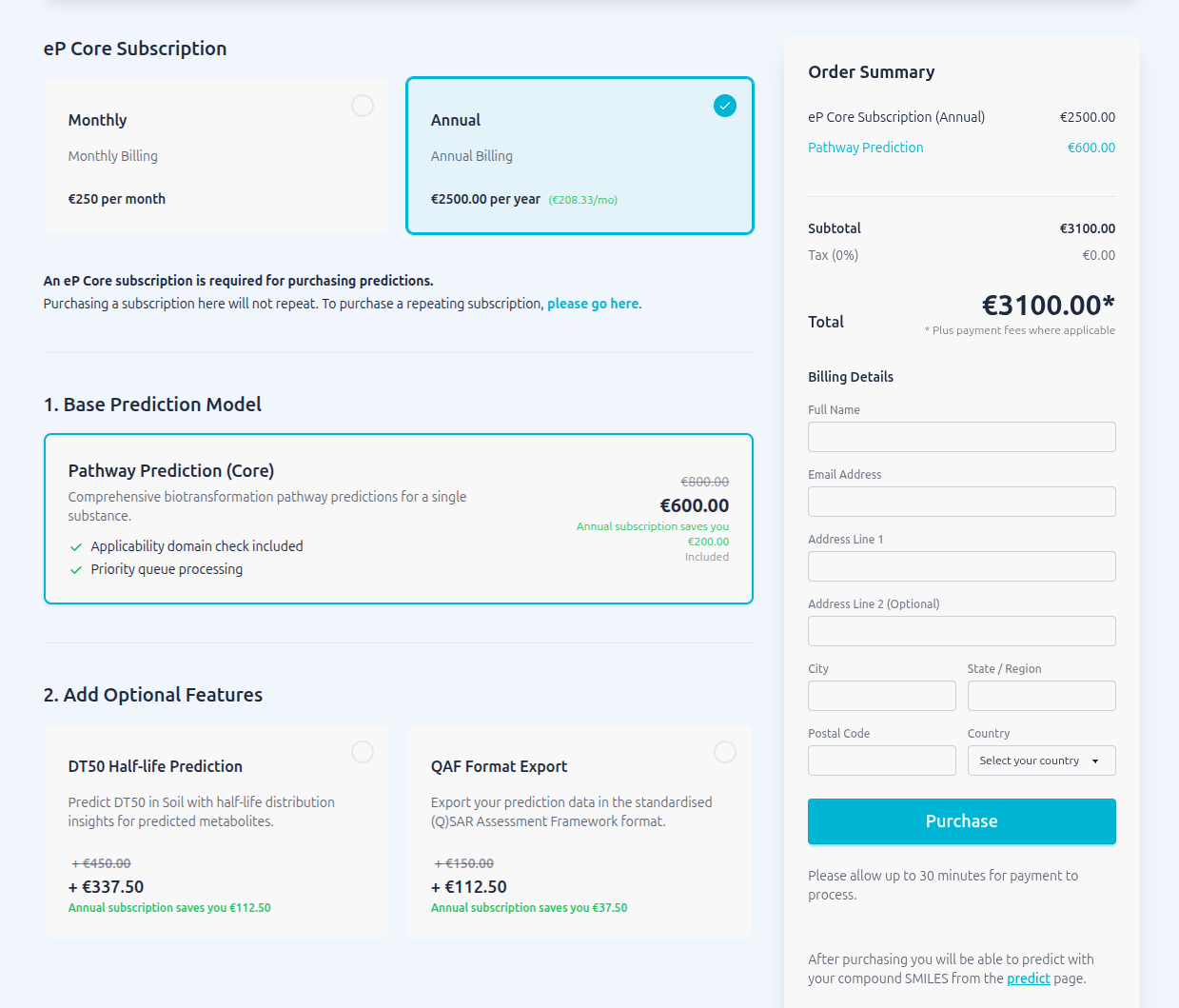
For a prediction a valid subscription to the data is required. Pick either a monthly or yearly subscription - existing subscriptions will be detected and priced with 0.00€
Yearly subscriptions will give you a 25% discount for this and all subsequent predictions (and additional features such as QAF export) during the subscription period.
Step 4: Complete the Checkout
Once you’ve selected the subscription and additional features, follow the instructions to provide the information required for your prediction.
Make sure your details are correct before proceeding to checkout.
Step 5: Go to Predict and Get Started!
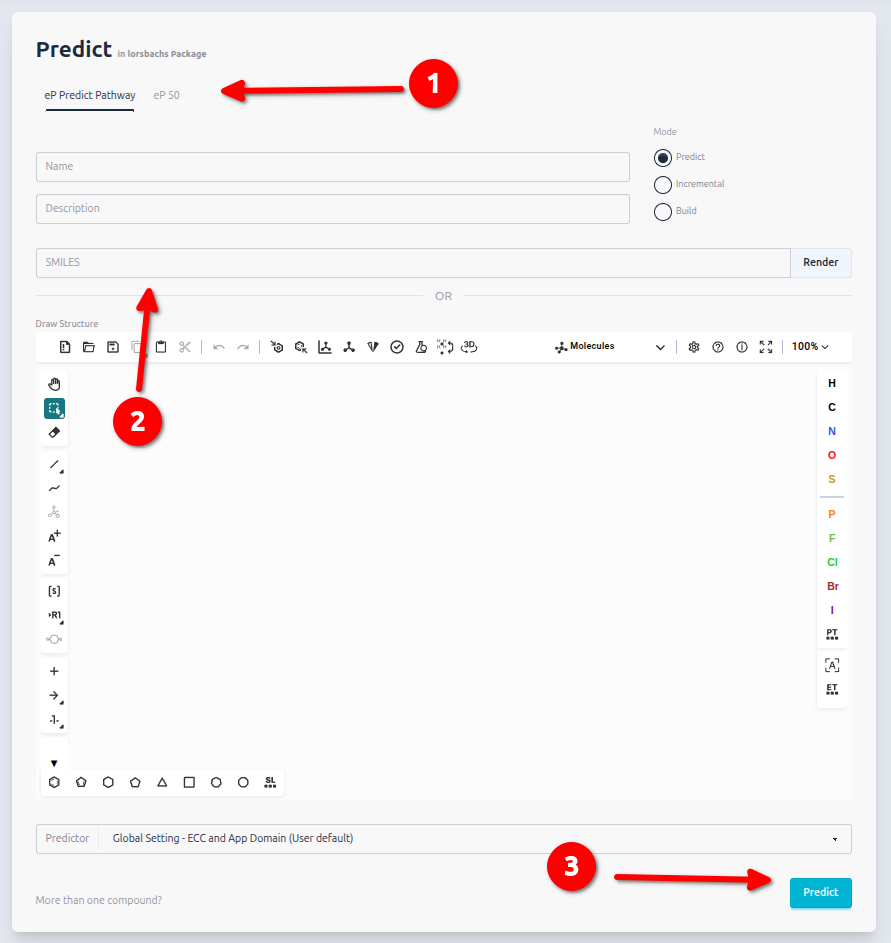
After completing your purchase, navigate to the Predict section in enviPath.
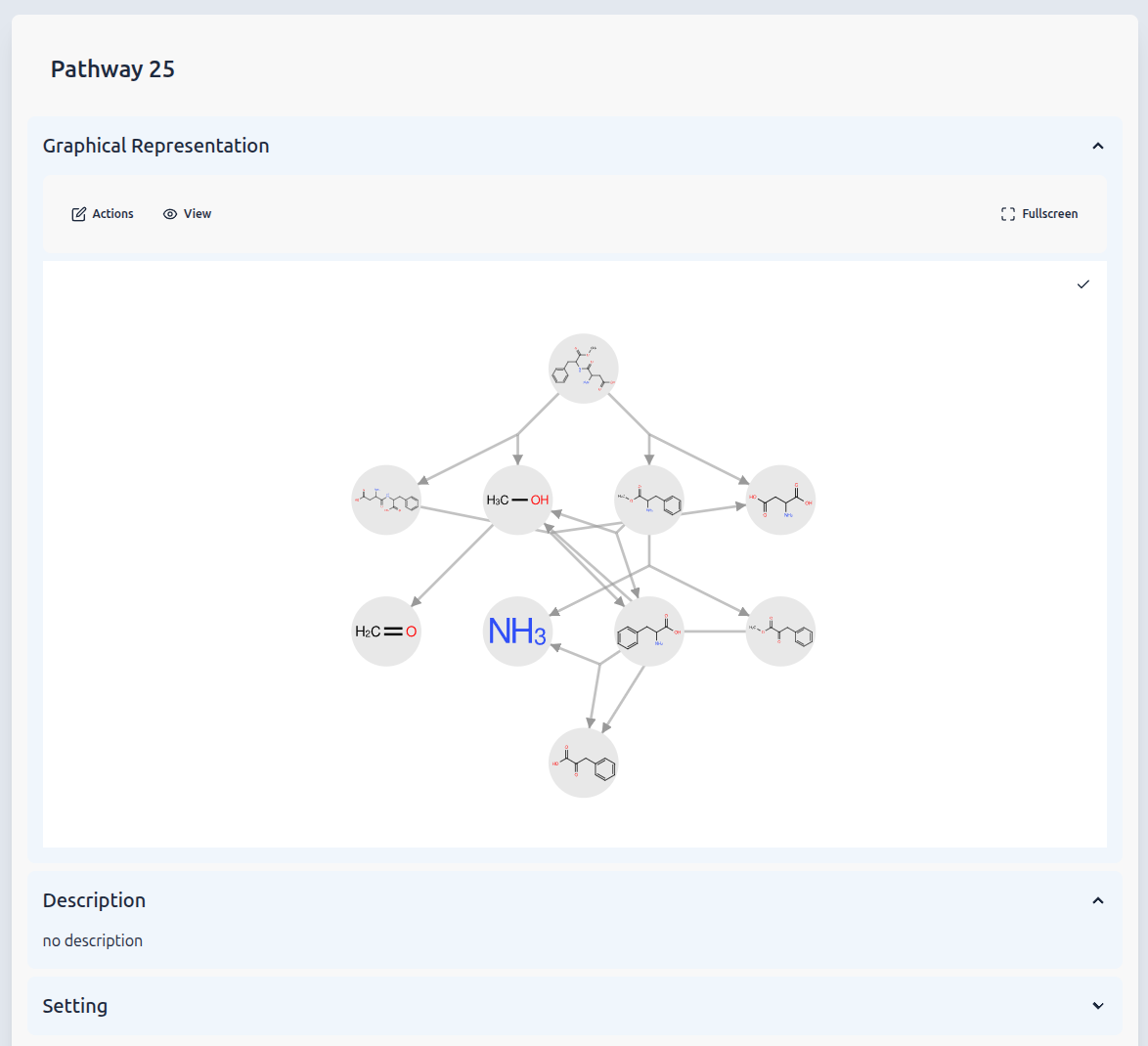
You can now start using your purchased predictions to investigate environmental transformation pathways or estimate degradation half-lives (DT50).
Step 6: Run the prediction
Once the payment was successfully processed, click on Predict in the navigation bar.
First select the prediction Service from the top, either eP Predict Pathway or eP 50, paste the substance SMILES and hit the predict button.
Ready to Get Started
 Log in or register on enviPath and explore the available data packages!
If you encounter any issues or have questions about subscriptions, feel free to reach out to us through the enviPath community.