How to Subscribe to Data Packages on enviPath - A Step-by-Step Guide
With the latest enviPath release, you can now subscribe directly to environmental transformation data packages, including EAWAG-BBD, EAWAG-SOIL, EAWAG-SLUDGE, and EAWAG-SEDIMENT, with flexible monthly or yearly plans.
This guide walks you through the subscription process, from selecting a plan to accessing your new data.
Step 1: Open the enviPath Marketplace
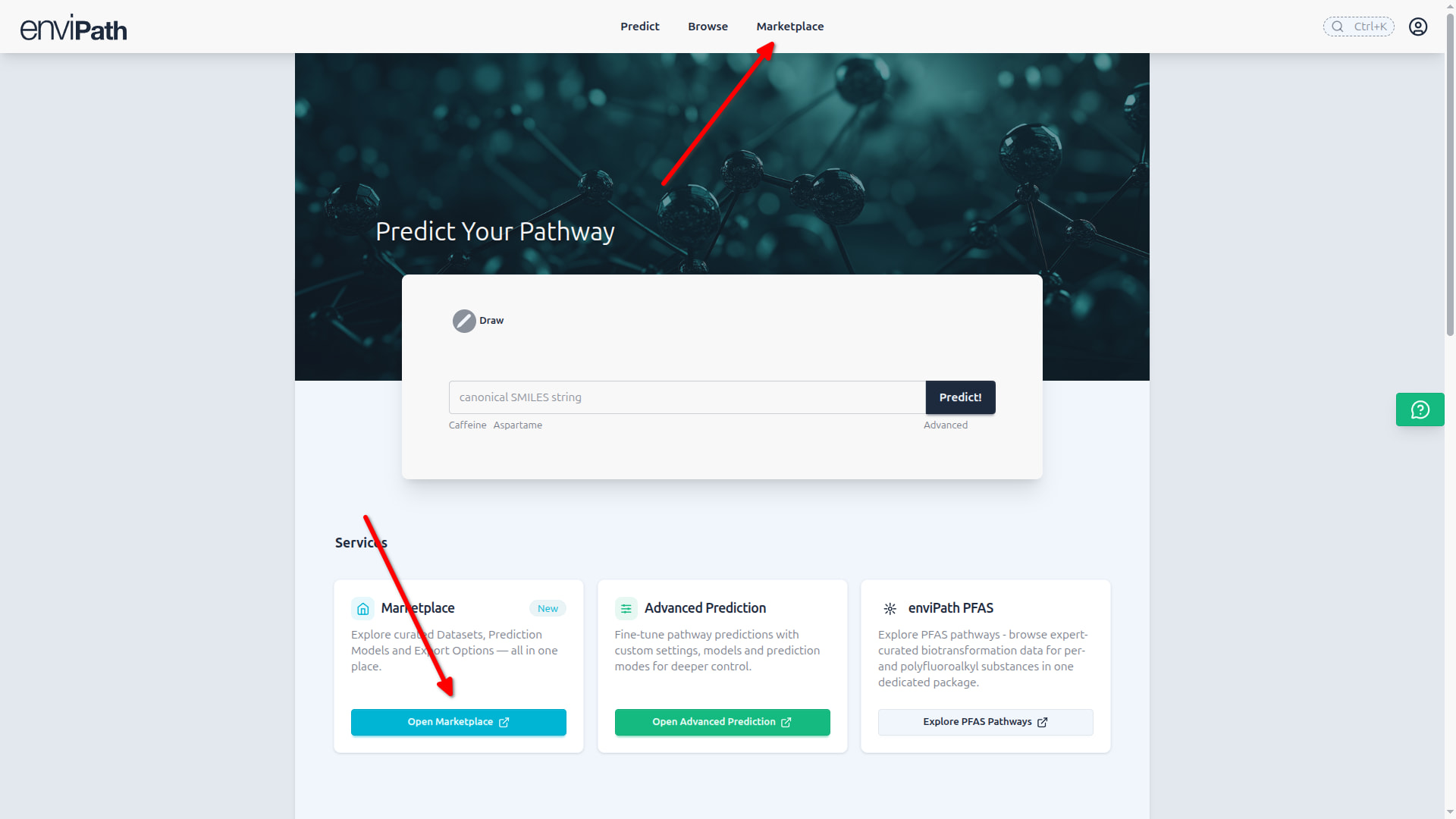
Visit the enviPath homepage and click on Marketplace on top or from within the Marketplace tile.
Step 2: Select Your Subscription
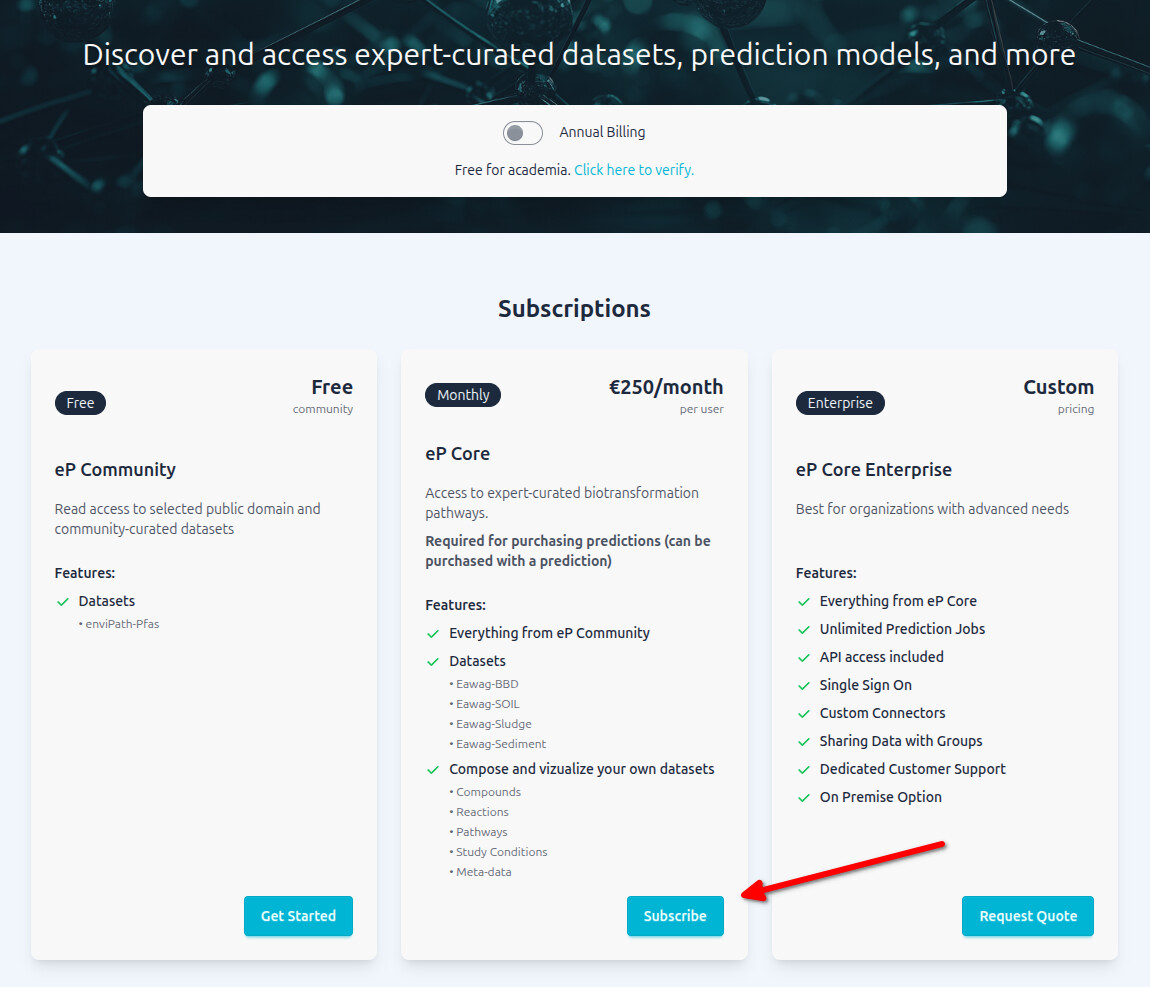
Browse the available plans and select the one you’re interested in.
- Select a monthly or yearly subscription .
- Review the subscription details and pricing.
Step 3: Provide Your Details
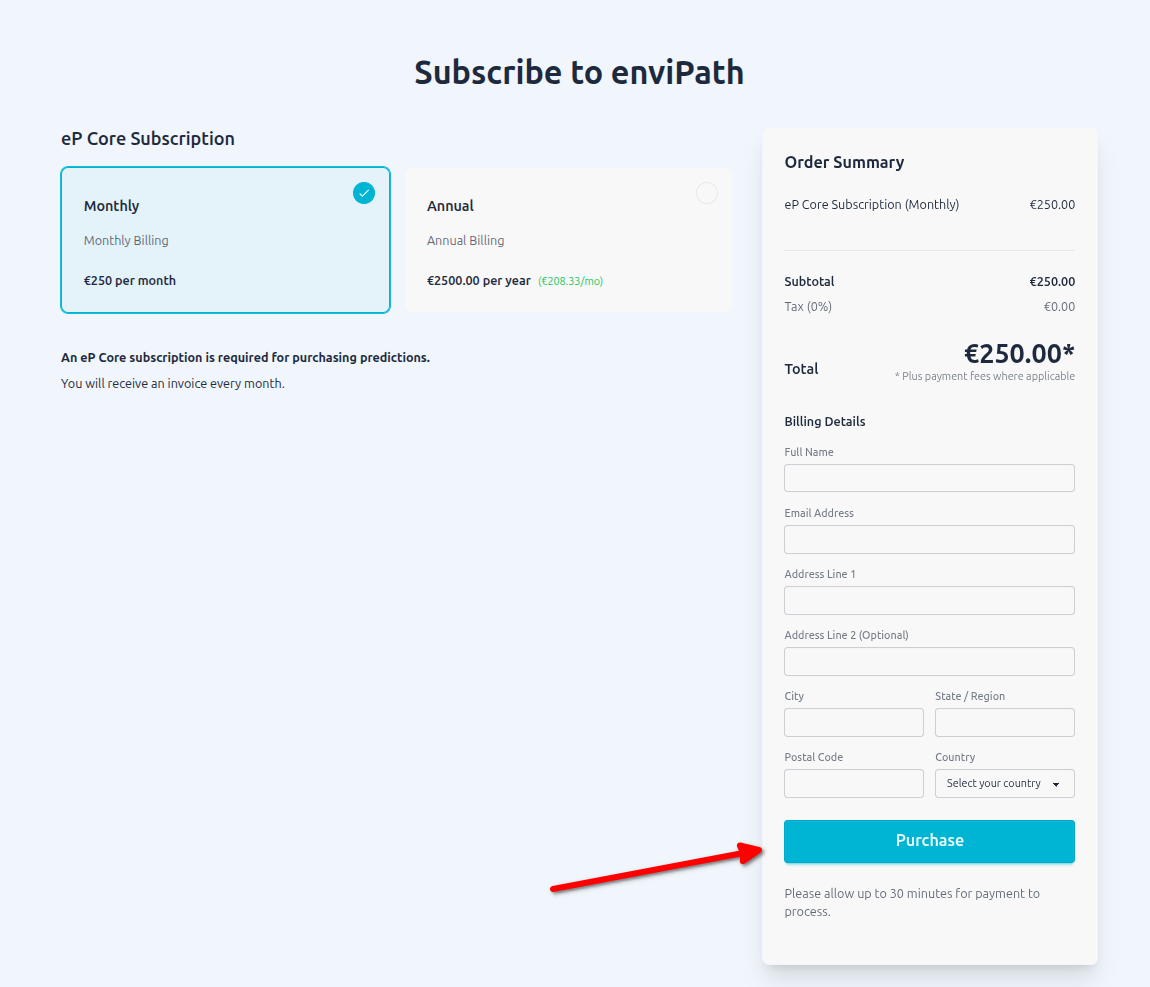
Follow the instructions to provide the information required for your subscription.
Make sure your details are correct before proceeding to checkout.
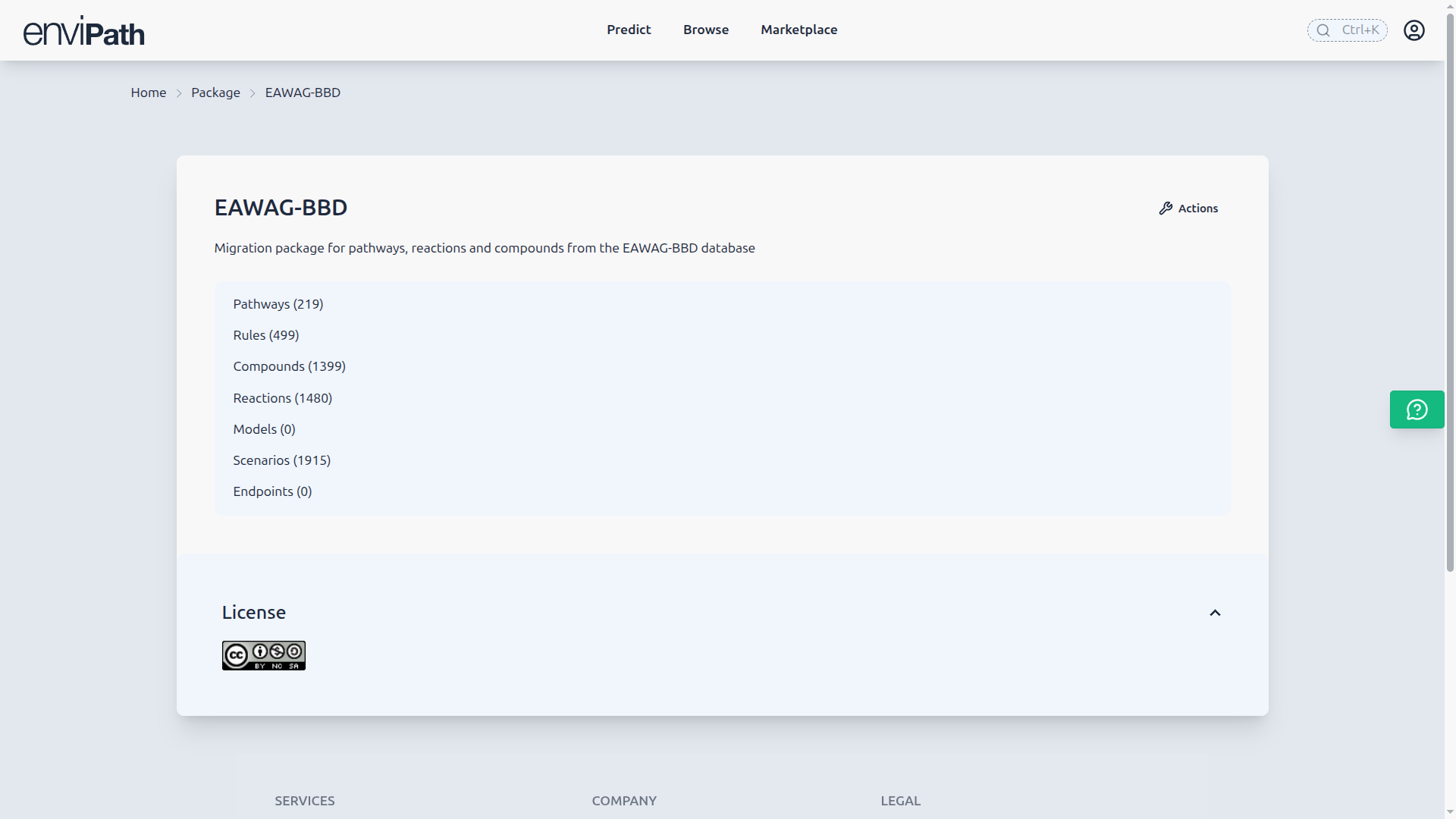
Step 4: Explore Your New Data!
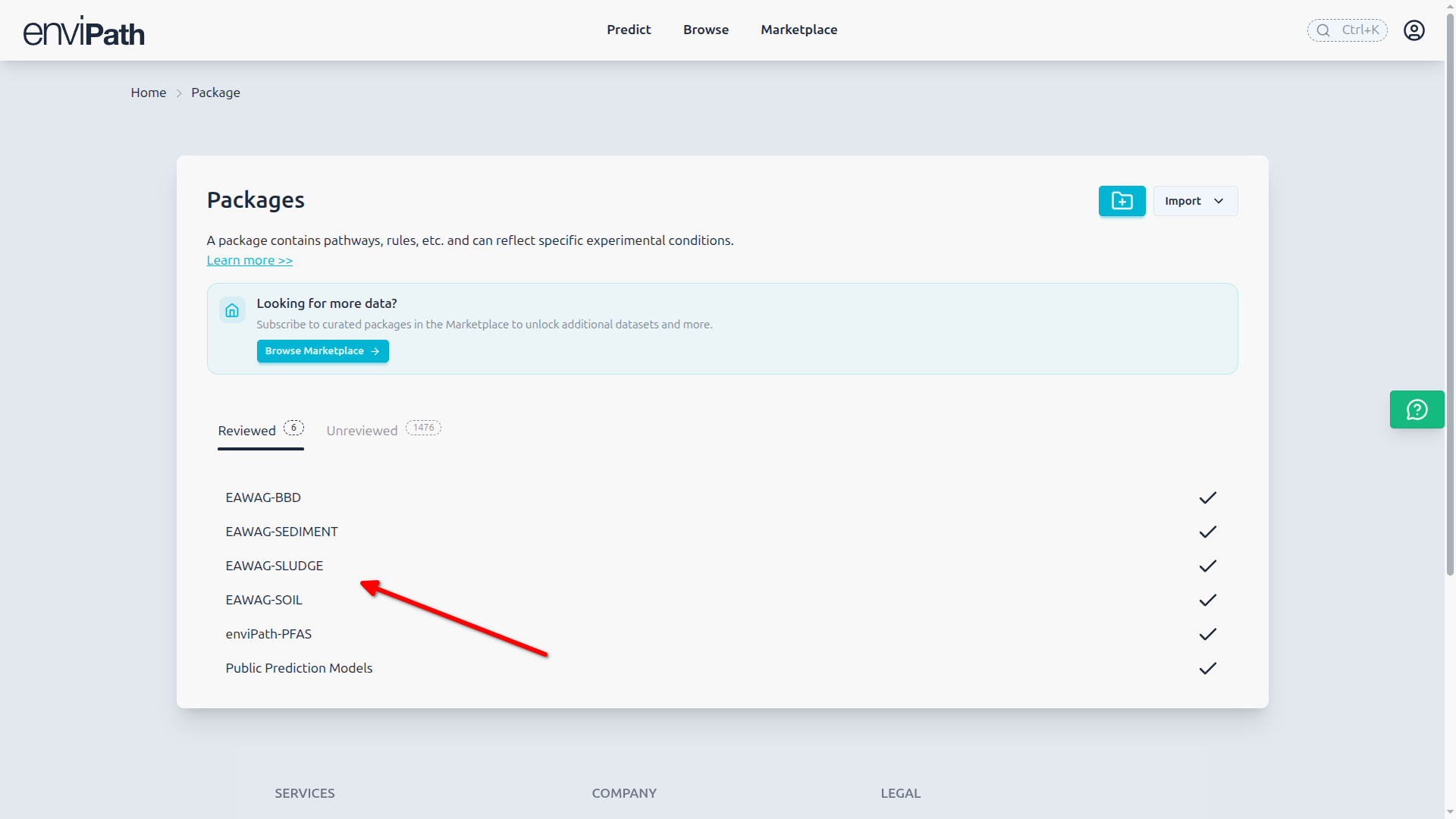
Once your subscription is active, return to enviPath and navigate to the package section by clicking on Browse followed by a click on `Package.
You can now explore the environmental transformation data available through your subscription.
Ready to Get Started?
 Log in or register on enviPath and explore the available data packages!
If you encounter any issues or have questions about subscriptions, feel free to reach out to us through the enviPath community.